Solving Exponential Expressions (ln and e)


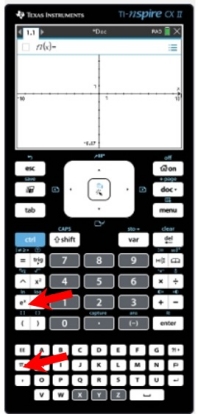
Start by finding the keys you will be using:
     e x has its own key.

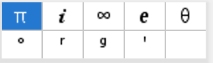
     e can be found using the key to use template   
     

      ln is found above the e x key.
   
Remember: e is an irrational number, approximately 2.71828183, named after the 18th century Swiss mathematician, Leonhard Euler.

 f (x) = ex,  is called the natural exponential function.
 f (x) = ln x, is called the natural logarithmic function.
These two functions are inverses of one another.

When composed, these two functions return the starting value, x,
thus creating the identity function, y = x.


Examples:
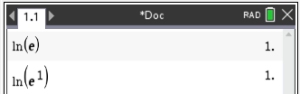
1.   1
Notice how the calculator automatically forces the use of the parentheses. 
• The first entry uses the e value from the template.
• The second entry uses the e x key.  Notice how this second entry illustrates the composition of the two inverse functions ln and ex, returning the starting value of 1, since x = 1.
Answer: 1


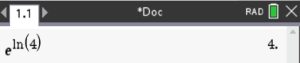
2.   3

Simply enter the expression on the home screen.  Again, notice the composition of functions at work on the two inverse functions. The original starting value for x (which is 4) is returned from the composition.
Answer: 4


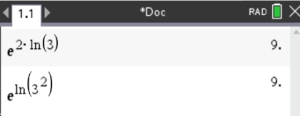
3.  5

Again, simply enter the expression on the home screen.  Did you notice that, in its given form, this is NOT a composition of the two inverse functions?  The "2" is in the way.

Of course, the problem could be rewritten using properties of logs to utilize the composition of the inverses:  44 Of course, the answer is the same.
Answer: 9


4.  7

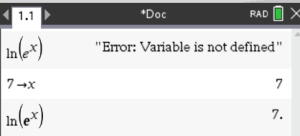
If you enter the "general" statement ln e x, the calculator does not know what value you want to use for x.
Use the "store" command to place a specific value in x.   The thing to notice is that the expression now returns the value you placed in x, which tells us that 55. This shows that the composition of these inverse functions yields the Identity Function. 
Answer: your value of x


Table of Contents MathBits.com Terms of Use TI-84+ Web Site